

Your restaurant, in sync
Collaborative cart, kitchen tickets, floor management and analytics in one panel. No friction, no delays.
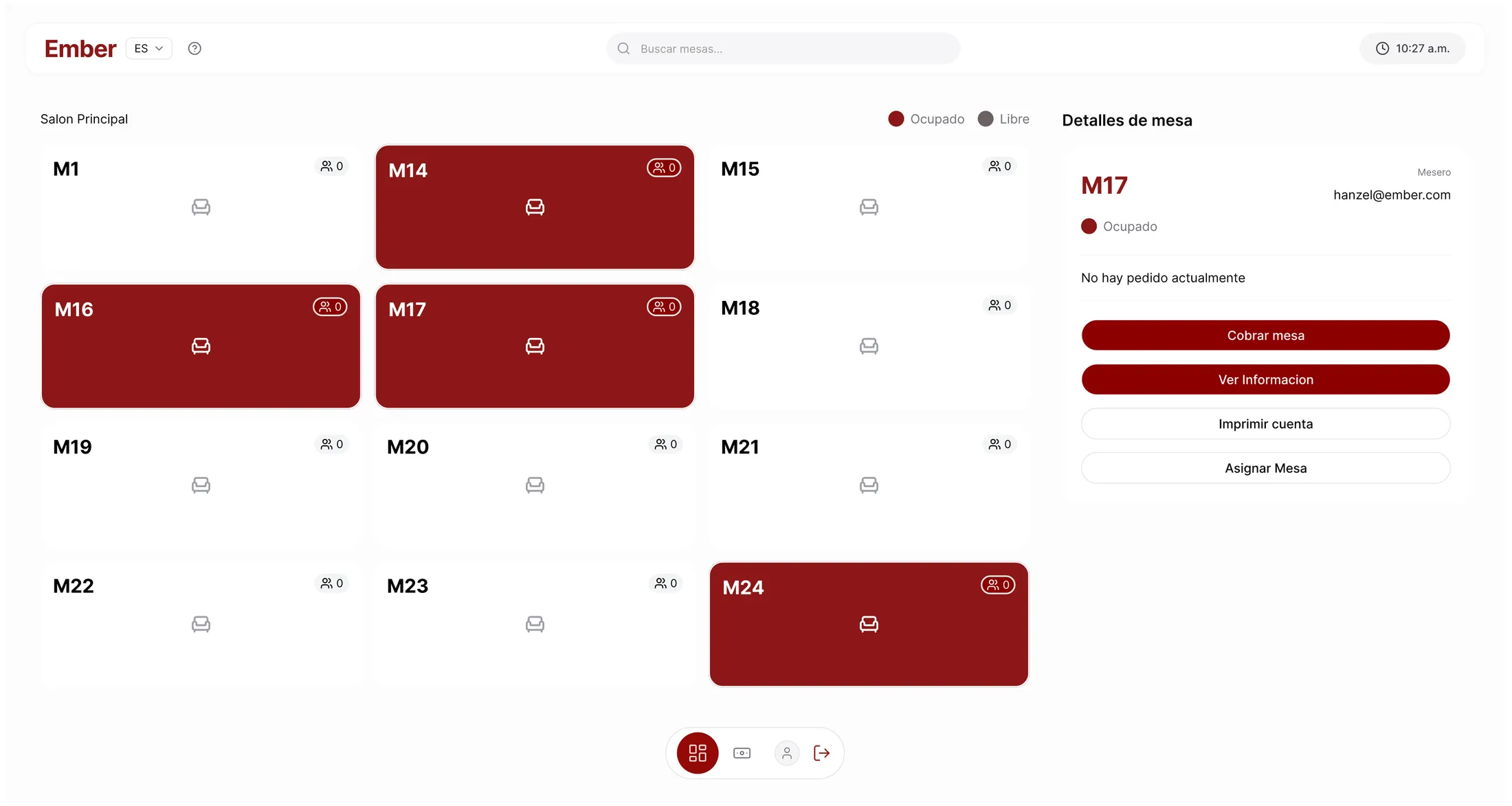
- QR collaborative cart
- Kitchen display (KDS)
- Bill splitting & cash close
- Analytics by period
- Multi-restaurant
Ember vs. the usual
The same service, without the bottlenecks
Ember
- Taking the order
- Guests order from their phone; the kitchen sees it instantly
- Splitting the bill
- Each guest confirms and pays their share from the table
- Kitchen status
- KDS screen with states and overdue alerts
- Getting started
- Request the account, load the menu, runs in the browser
Voice or paper orders
- Taking the order
- The server writes it down and walks each order to the kitchen
- Splitting the bill
- By hand, slow and error-prone
- Kitchen status
- "Is table 8 ready yet?" shouted across the line
- Getting started
- Free, but it all lives in the staff’s head
Traditional POS
- Taking the order
- The server types everything into a fixed terminal
- Splitting the bill
- Limited feature, always done by the server
- Kitchen status
- Printed ticket, no tracking
- Getting started
- Install, proprietary hardware and training
Two ways to run Ember
Don't want diners ordering from their phones? Ember Local
The same Ember, run by your team. Servers take orders from tablets placed around the venue and build the check per guest or for the whole table. Installed in your restaurant.
No apps or QR for the diner
Staff run the whole service from the tablets. Diners order and pay as usual.
Works on your network
Runs on a PC in your restaurant. If the internet goes down, service keeps going.
Your data, on your server
The database lives in your venue, not in the cloud. You stay in control.
How it works
Three steps, from QR to checkout
The guest joins
Scans the table QR or enters a 5-character code. Nothing to install.
They order from the table
Everyone sees the same shared cart in real time, and each person confirms and pays their share.
Kitchen and checkout, live
The order reaches the kitchen screen and the server panel instantly: prep, payment and cash close.
Features
The whole service in one panel
Collaborative cart
Guests join with a QR code and add dishes to a shared cart in real time — no apps to install.
Kitchen display (KDS)
Every order moves through controlled states — pending, preparing, ready, delivered — visible on screen instantly.
Floor & server management
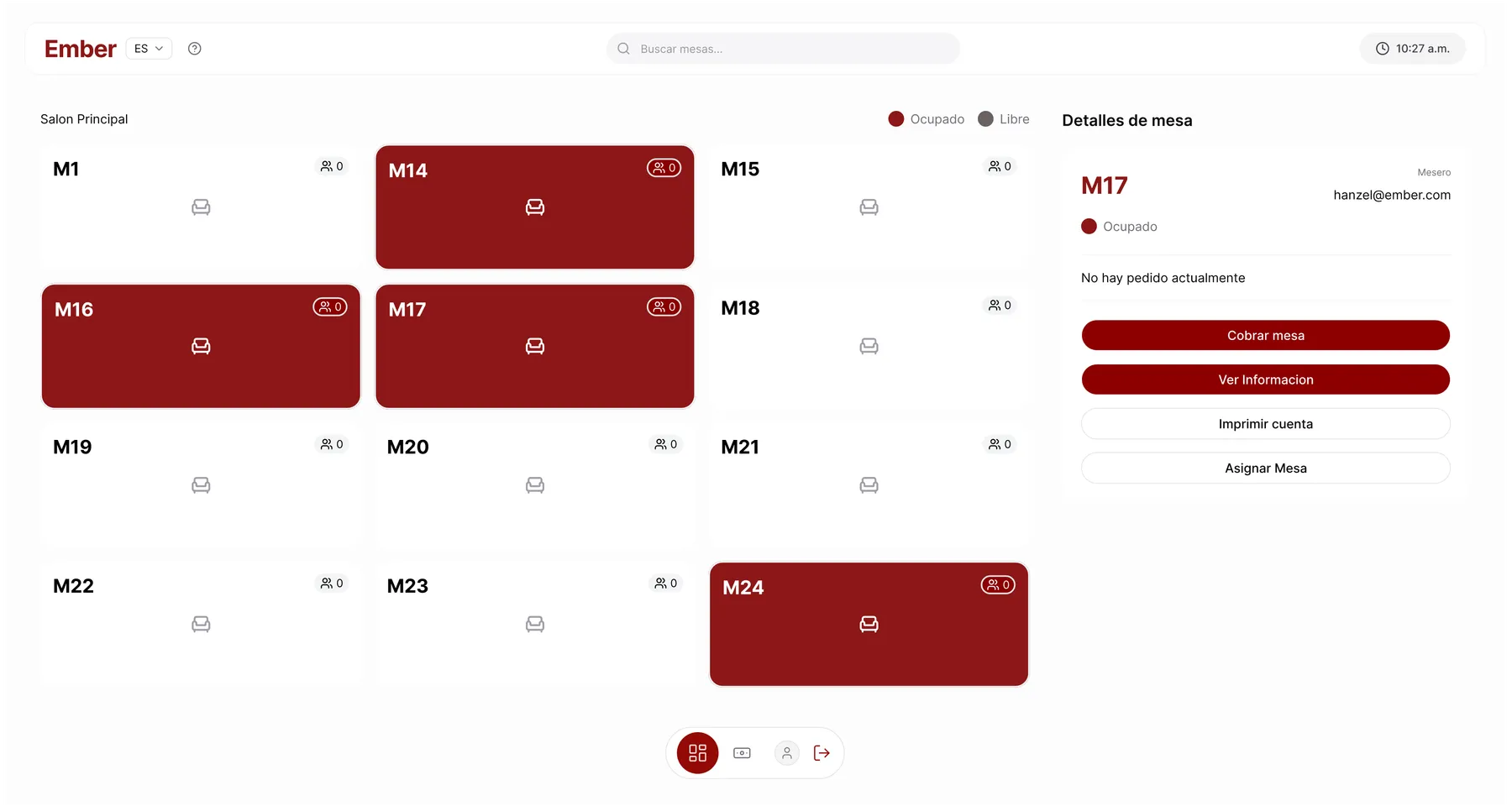
Table assignment, reservations, discounts, bill splitting, counter sales and per-shift cash close, all from one panel.
Analytics for admins
Sales metrics, average check and performance by product or table, filterable by day, week, month or year.
Why Ember
Built for the pace of a restaurant
Real time
Tables, orders and payments sync instantly across every device.
No app for the guest
They join via QR from the phone browser. Nothing to download or install.
One panel
Cart, kitchen, floor, payments and analytics on the same platform — no fragile integrations.
Multi-branch
With Enterprise, run several branches from one account: each with its own menu, register and staff, plus metrics for all of them together.
FAQ
Before you start
Does the guest have to install an app?
No. They join the table by scanning the QR or entering a 5-character code; everything runs in the phone browser.
Does it work for a single location?
Yes. With the Enterprise plan you can have several branches: you switch between them from Settings and see all their sales together. The Vanter team creates the branches; write to us.
How do guests pay?
Each participant confirms and pays their own share of the shared cart. The server can also charge the whole table, split or merge bills, and run the per-shift cash close.
Do I need a special printer?
Ember’s print agent connects network or Windows-queue printers and sends tickets and receipts to them automatically. No proprietary hardware required.
Can I try it for free?
Yes, the Free plan has no cost and no card. You can compare every plan on the pricing page.See plans →
How do I get started?
You fill in the contact form with your restaurant’s details and the Vanter team creates the account. Then the setup wizard guides you through loading tables and the catalog. If you’d rather have a guided demo, get in touch.Contact →
No fine print
What you can expect from Ember
- A real Free plan: no card, no time limit
- Cancel anytime, no penalty
- Each restaurant’s data stays isolated
- Works with your network or Windows printers
- Guests install nothing — they join from the browser
Ember is built by Vanter, from Managua, Nicaragua.Talk to the team →
No friction, no delays
Put your restaurant in real time
Join the restaurants already running tables, orders and analytics from one panel.